Relation
A link to a record in another table. The user picks the record from a list.
The options are the records in the linked table at the moment the user opens the form. When your team adds a record to that table, it appears in the list. This is what connects your data across tables. A visit belongs to a farmer, a student belongs to a school, a sample belongs to a site.
Use it for
- The record an event is about. A Farm Visit form picks the farm.
- Reference data your project maintains, such as districts, schools or crop types.
- The parent of a record, so that Views and Interfaces can join the two tables.
Example
A Students form has a Relation question School, linked to the Schools table. The user picks the school from the list. Every student record now points at a school record, so a View of Schools and Students shows each school with its students, and the School Interface lists the students of one school.
Settings
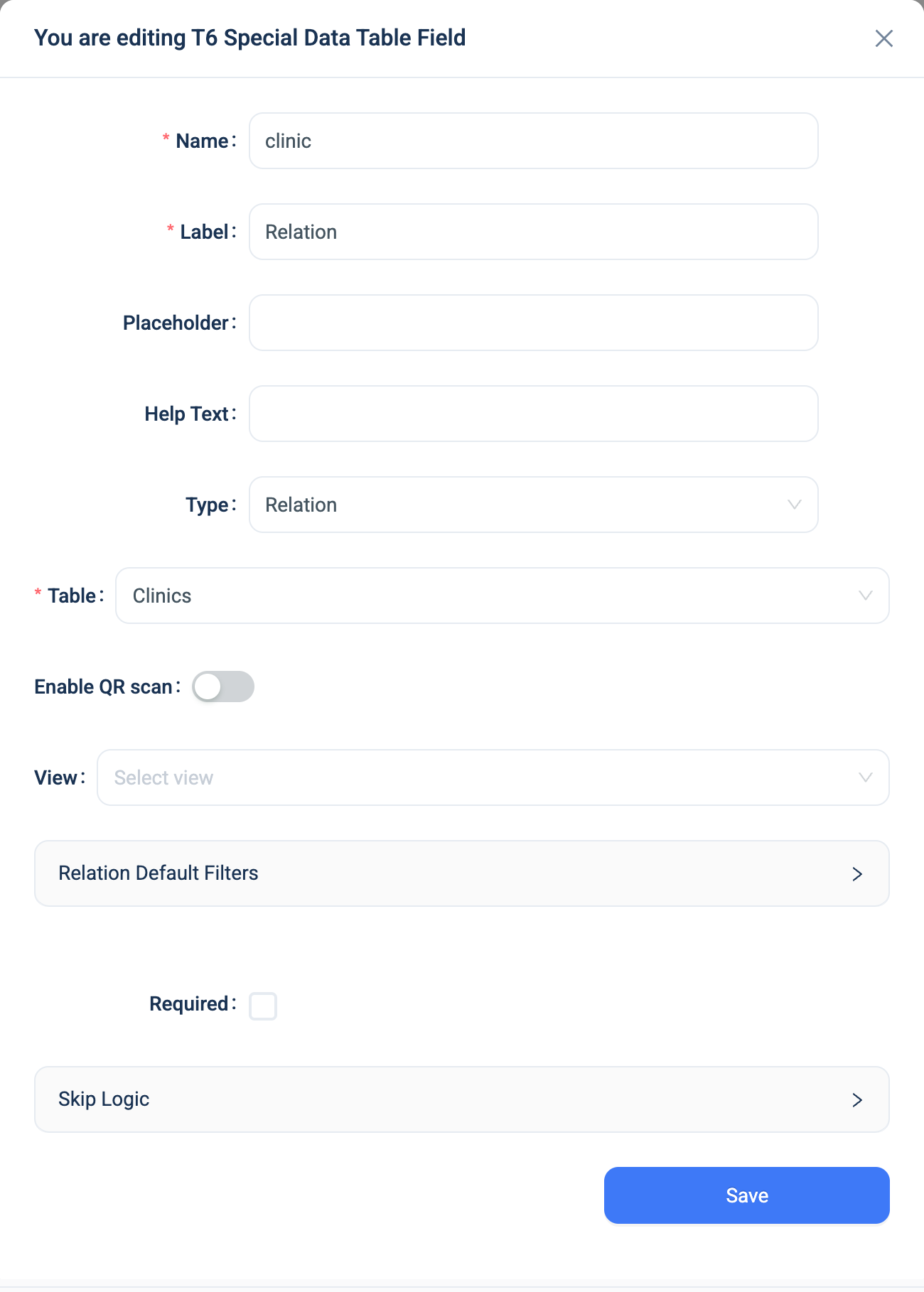
Every question has a Name, a Label, a Placeholder, Help Text, Required and Skip Logic. See Adding a question. Relation adds these.
| Setting | Description |
|---|---|
| Table | The table the options come from. Required. |
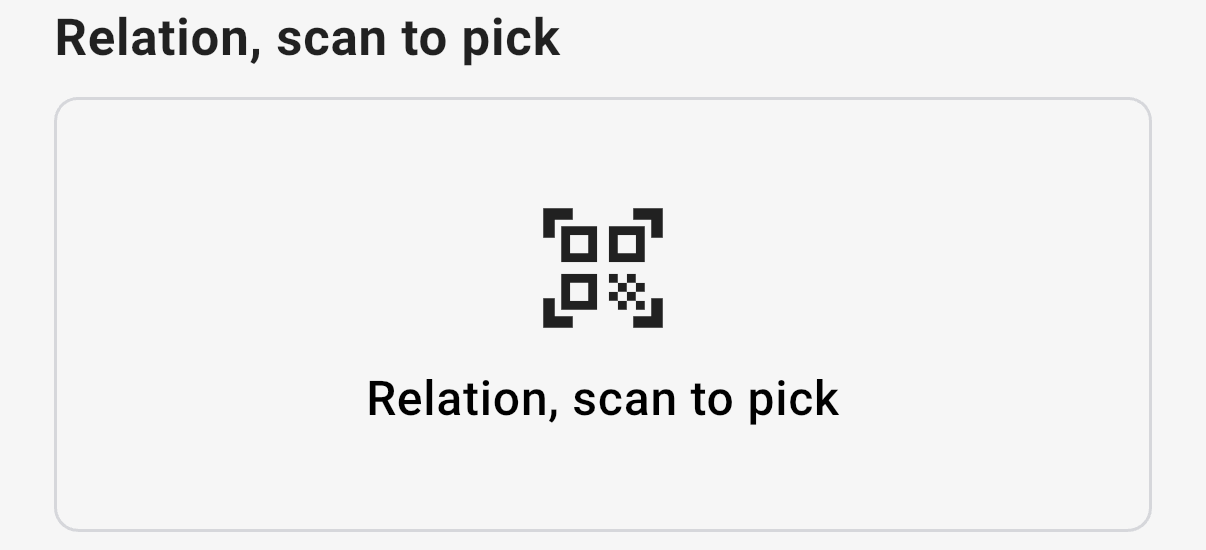
| Enable QR scan | In the 3D app, replaces the list with a scan tile. The user picks the record by scanning its QR code. The switch appears when the linked table has Enable QR Code on. See QR codes. |
| View | Takes the options from a View instead of the whole table. The list shows only the records in the View, and search runs over the View's other columns too. |
| Select Index of Join Table | Appears when the chosen View joins the table more than once. Pick which copy of the table the question reads. |
| Relation Default Filters | Narrows the list by a parent record that the user picks first. See Default filters. Appears when no View is chosen and the linked table has a Relation field of its own. |
The Enable QR scan, View and Select Index of Join Table settings appear when you edit the question from the form. They do not appear on the table's Structure page.
The list shows each record by the linked table's display fields. Set them on the table before your team uses the form, or the list shows the first text field of each record. See Display fields.
Default filters
A default filter adds a chain of parent tables above the question. The user picks a District, and the Clinic list shows the clinics of that district only.
Click Add Relation Filter and pick the parent table. Add another row to go one level higher. The chain follows the Relation fields between the tables, so each table in the chain must have a Relation field to the one above it.
On the web form, the question is locked until the user picks each parent. The box shows Select District first, and a click on it opens the filter window.
Warning
The 3D app does not apply default filters. It lists every record of the linked table. For a chain that works in the app, use a Cascading Select.
For a chain that the form builder configures once and that appears as one question with several levels, use a Cascading Select instead.
Validation
Required is the only rule. A Relation with exactly one option and Required on is answered automatically on the web.
Combinations that matter
- Inheritance Filters narrow a Relation by the answer to an earlier question on the same form. They use the form's View, not the question's settings.
- A View and Default Filters cannot be used together. Choosing a View hides the Default Filters panel.
- A calculated field reads a field of the linked record with
school.name. One level only. - A Matrix uses a Relation as its header to create one row per linked record. See Matrix Field.
- A Nested Form in Multi-Select mode stores several links at once, one row per pick. See Nested Forms.
- Deleting a linked record does not delete the records that point at it. Their link goes blank within ten minutes.
How it looks
On the web the question is a searchable dropdown. Above it, Total count of records shows the size of the list, and Filter opens a window to narrow it. In the 3D app the question is a search box with the records listed under it, and a filter button.
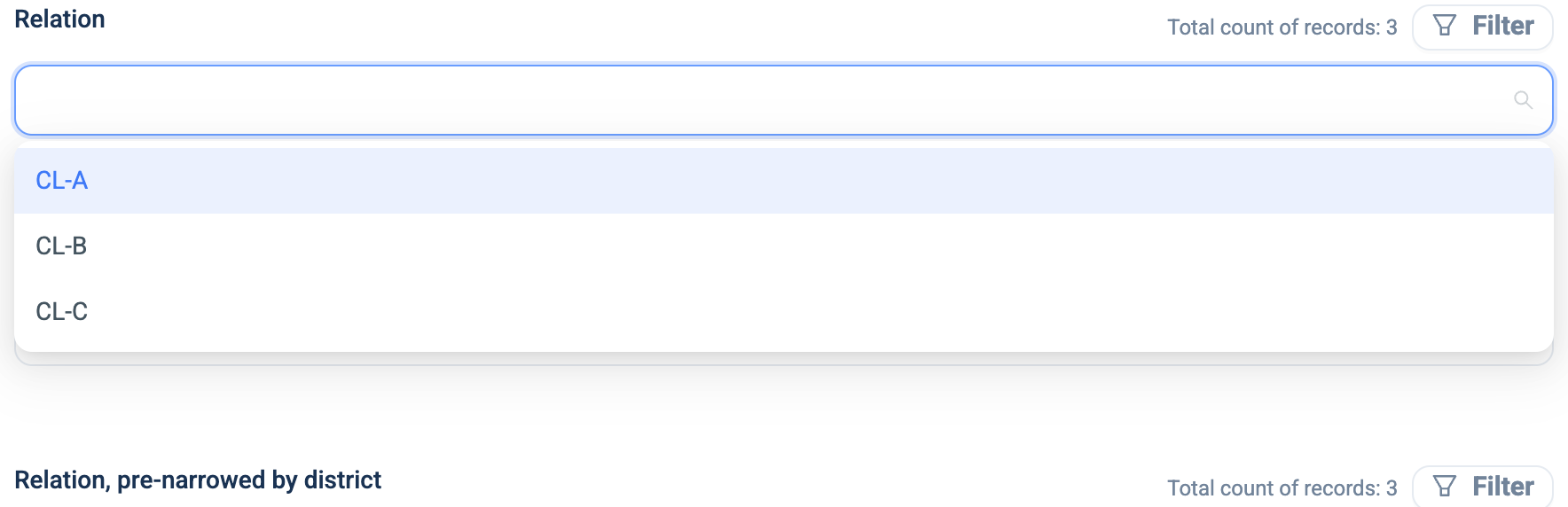
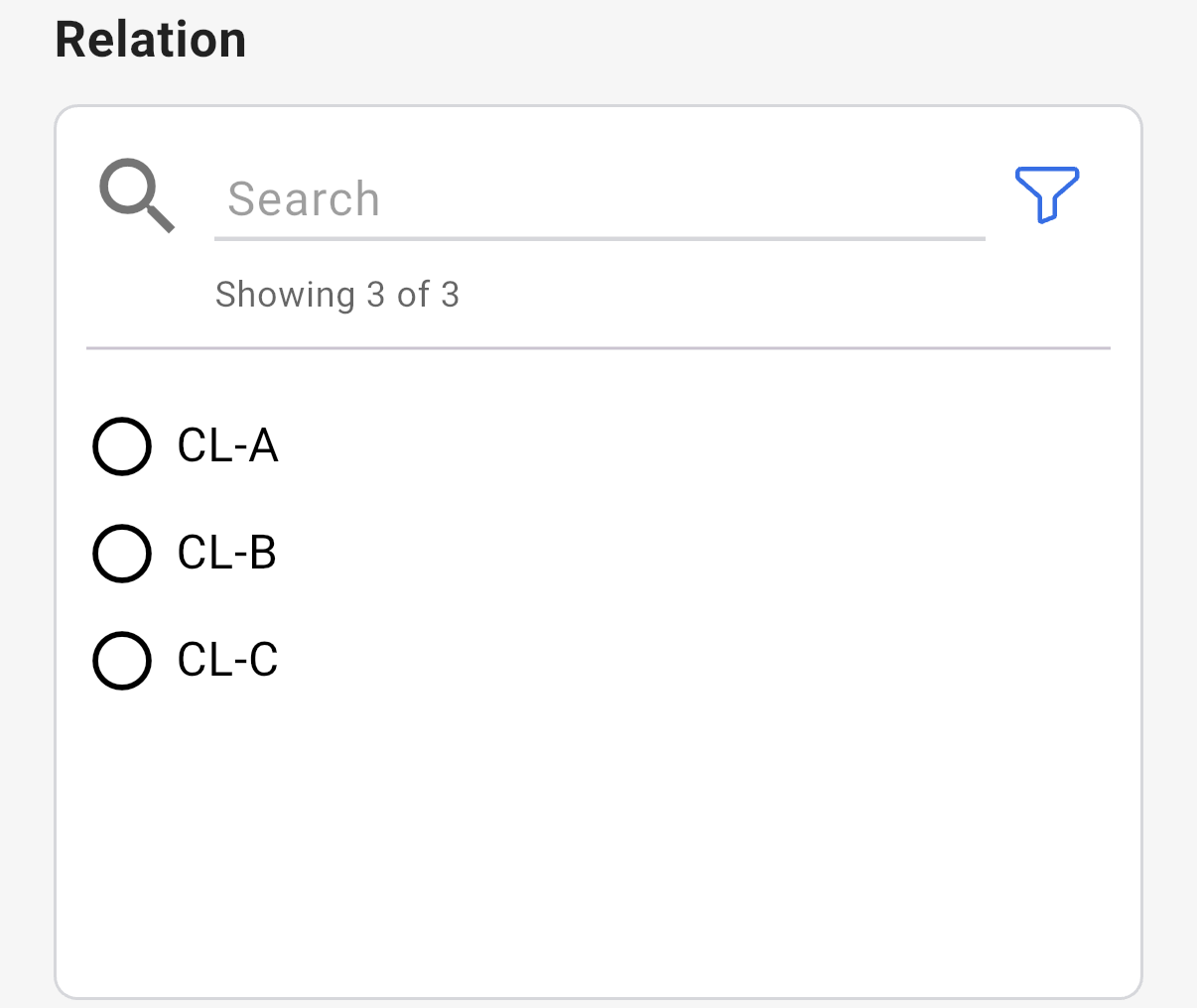
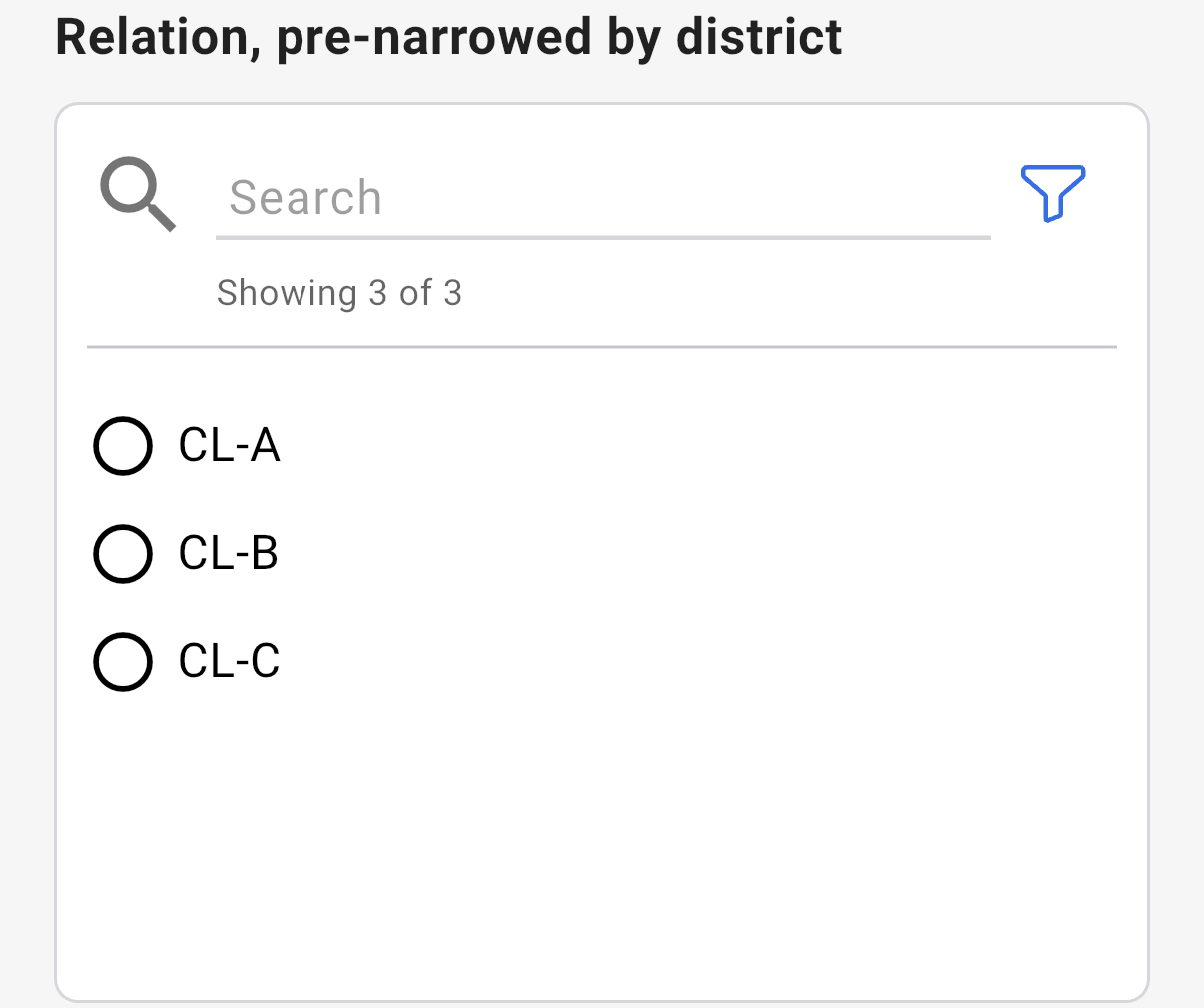
With a default filter on the district, the web question waits for the district first. The 3D app lists every clinic.

With Enable QR scan on, the 3D app shows a scan tile instead of the list. The web form does not change.

The question's settings, on the web:
The data
| Where | What you get |
|---|---|
| The record | A reference to the linked record, and a Display companion that holds its display text. |
| The data table | A button with the display text. Click it to see the linked record. |
| A View | The linked record's fields, one row per combination. See Views. |
| An export | Two columns: name with the display text and name_id with the record's id. |
| A formula | The id of the linked record, or one of its fields with name.field. |
| The analytics warehouse | A column with the display text, and a companion column name (id) with the id. |
When the linked record changes, the display text on the records that point at it updates within ten minutes.
Related types
- Cascading Select picks through several levels in one question.
- Select One is the right choice when the options are fixed words, not records.
- Nested Form in Multi-Select mode links several records at once.
- Matrix Field creates one row per linked record.