Nested Form
A set of questions that the user can repeat, or a picker for several existing records. The rows become records in a linked table, one per repeat or per pick.
A Nested Form is added to a form, not to a table, from the form's Nested forms view. The full guide, with worked examples, is on the Nested Forms page. This page fits it to the template of the other types.
Use it for
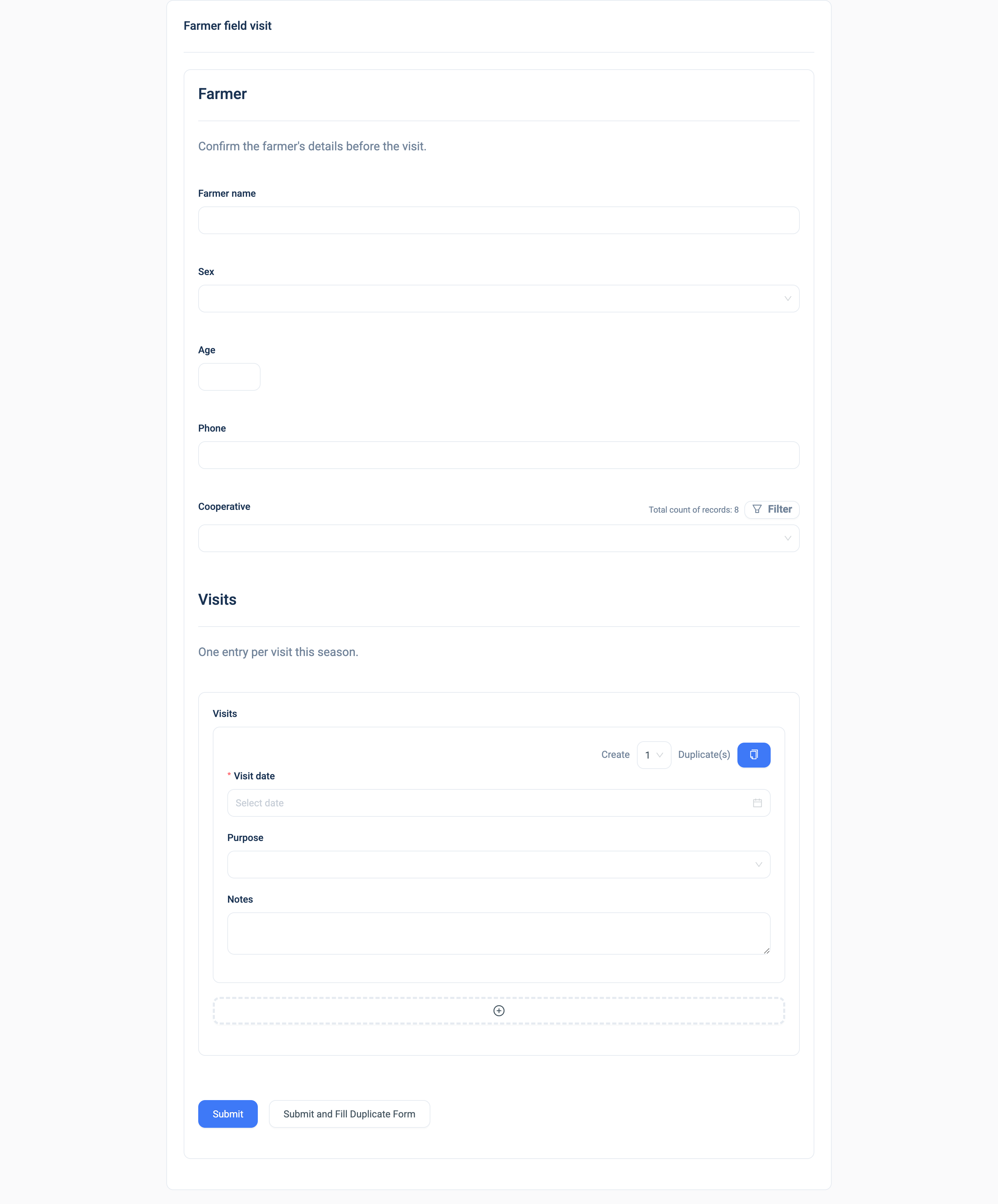
- Multi-Insert mode: several of the same thing per submission, such as the members of a household or the visits to a farm.
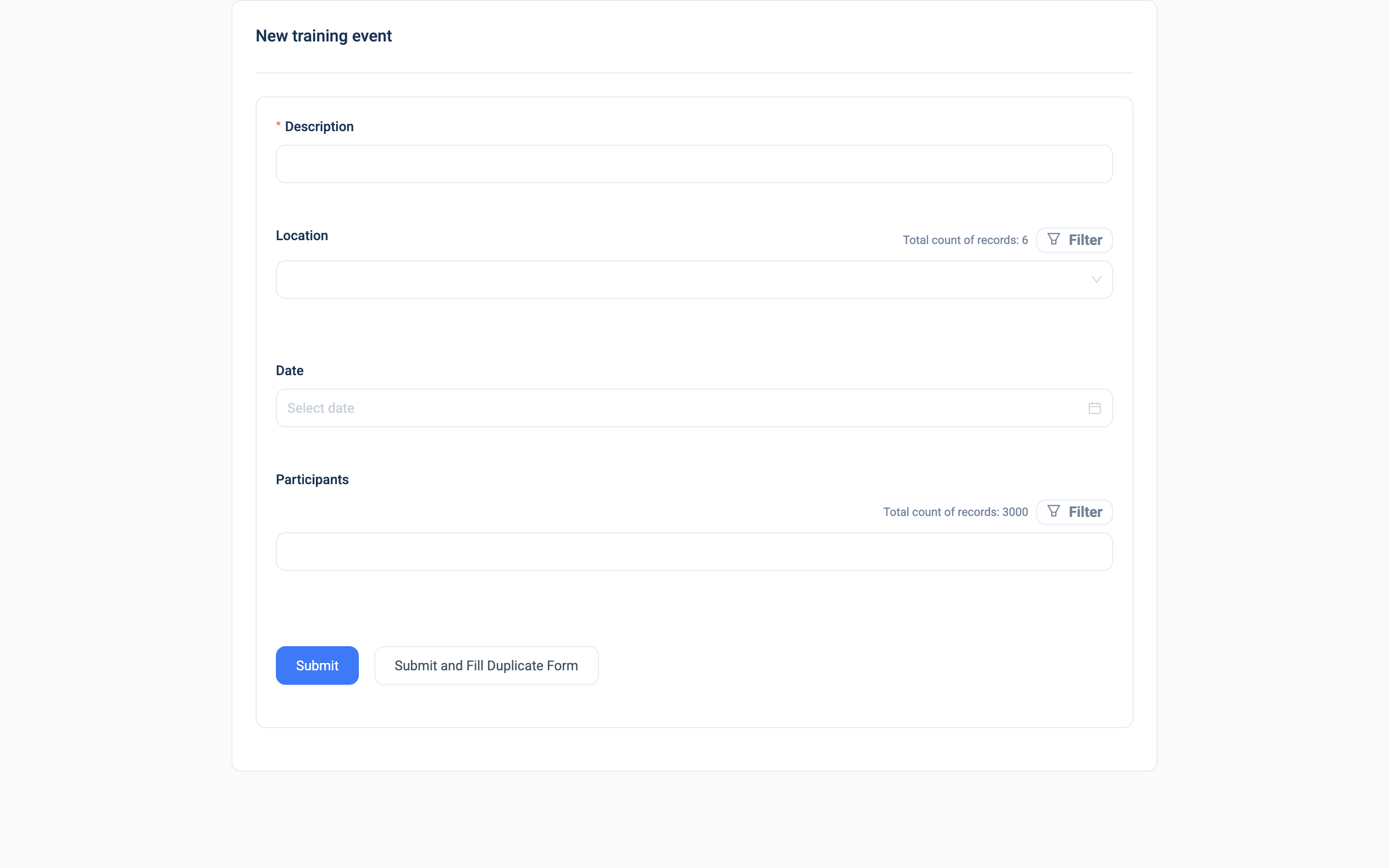
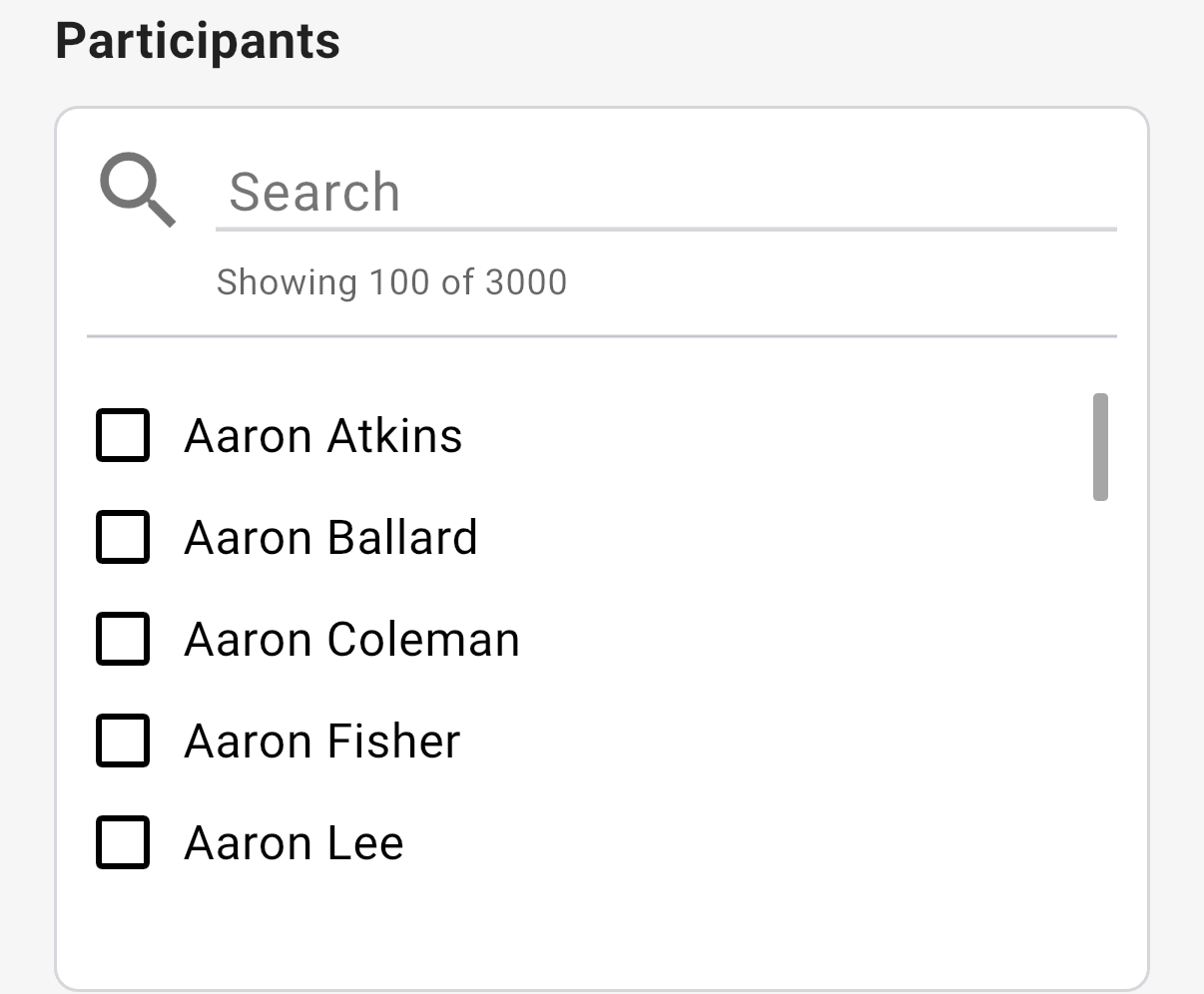
- Multi-Select mode: several existing records per submission, such as the participants of a training session.
Example
A Training form has a Nested Form Participants in Multi-Select mode, linked to the Participation table. The trainer picks the farmers who attended. Approval creates one Participation record per farmer, linked to the training and to the farmer.
Settings
| Setting | Description |
|---|---|
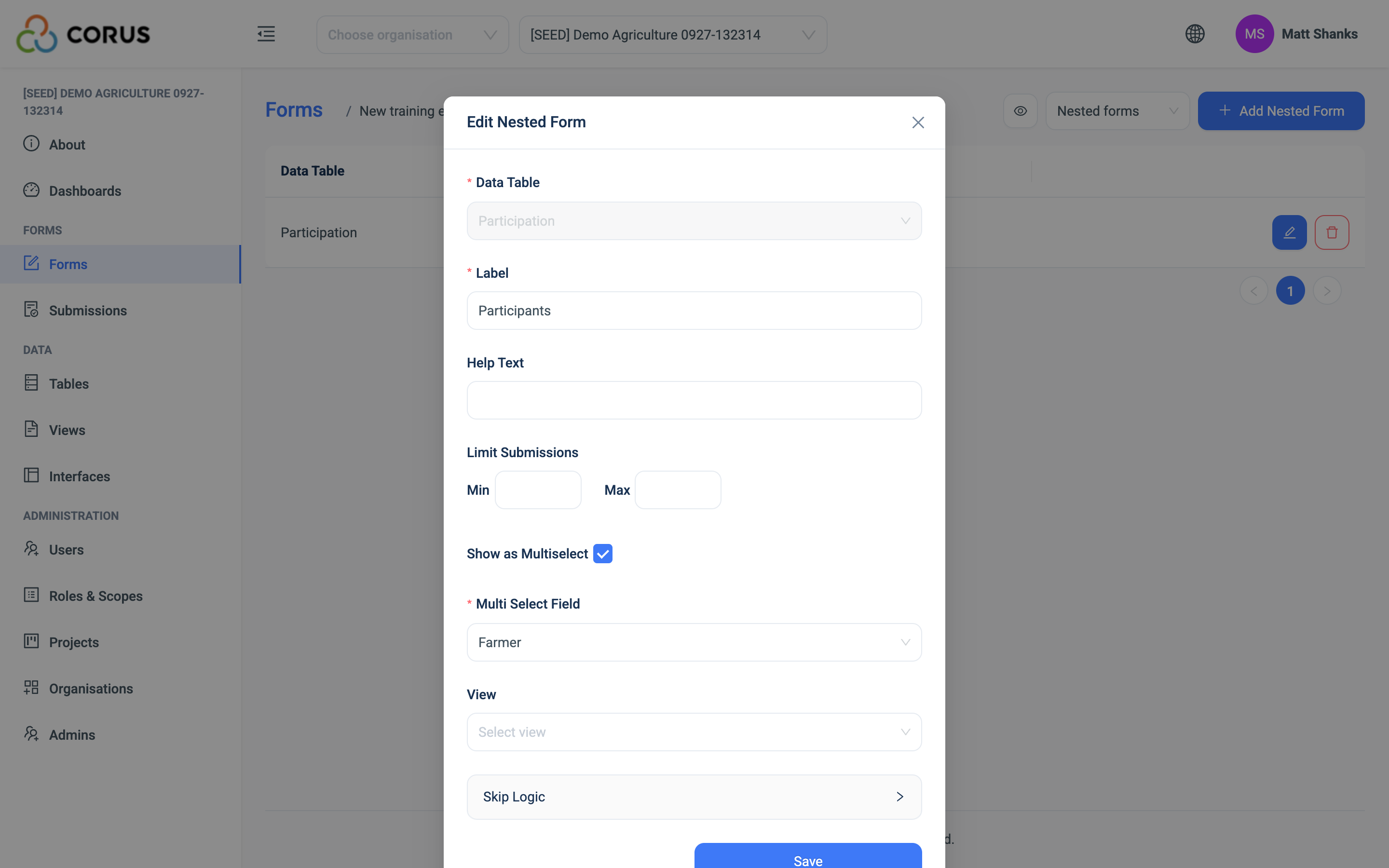
| Data Table | The table that holds the rows. Required, and locked once saved. |
| Label | The heading the user sees. Required. |
| Help Text | Guidance under the heading. |
| Limit Submissions: Min, Max | The fewest and most rows, or picks in Multi-Select mode. |
| Show as Multiselect | Switches to Multi-Select mode. |
| Multi Select Field | Multi-Select mode only. The Relation field of the linked table that the picks fill. |
| View, Select Index of Join Table | Narrow the records the picker offers, or that a Pre-filtered Field offers. |
| Nested Form Fields | Multi-Insert mode only. Which fields of the linked table the rows ask for. ID, Auto Calculated and Matrix fields are left out. |
| Pre-filtered Field | Multi-Insert mode only. A Relation field in the rows that a View narrows. |
| Skip Logic | Conditions on the parent form's questions. |
See Adding a Nested Form for the steps.
Validation
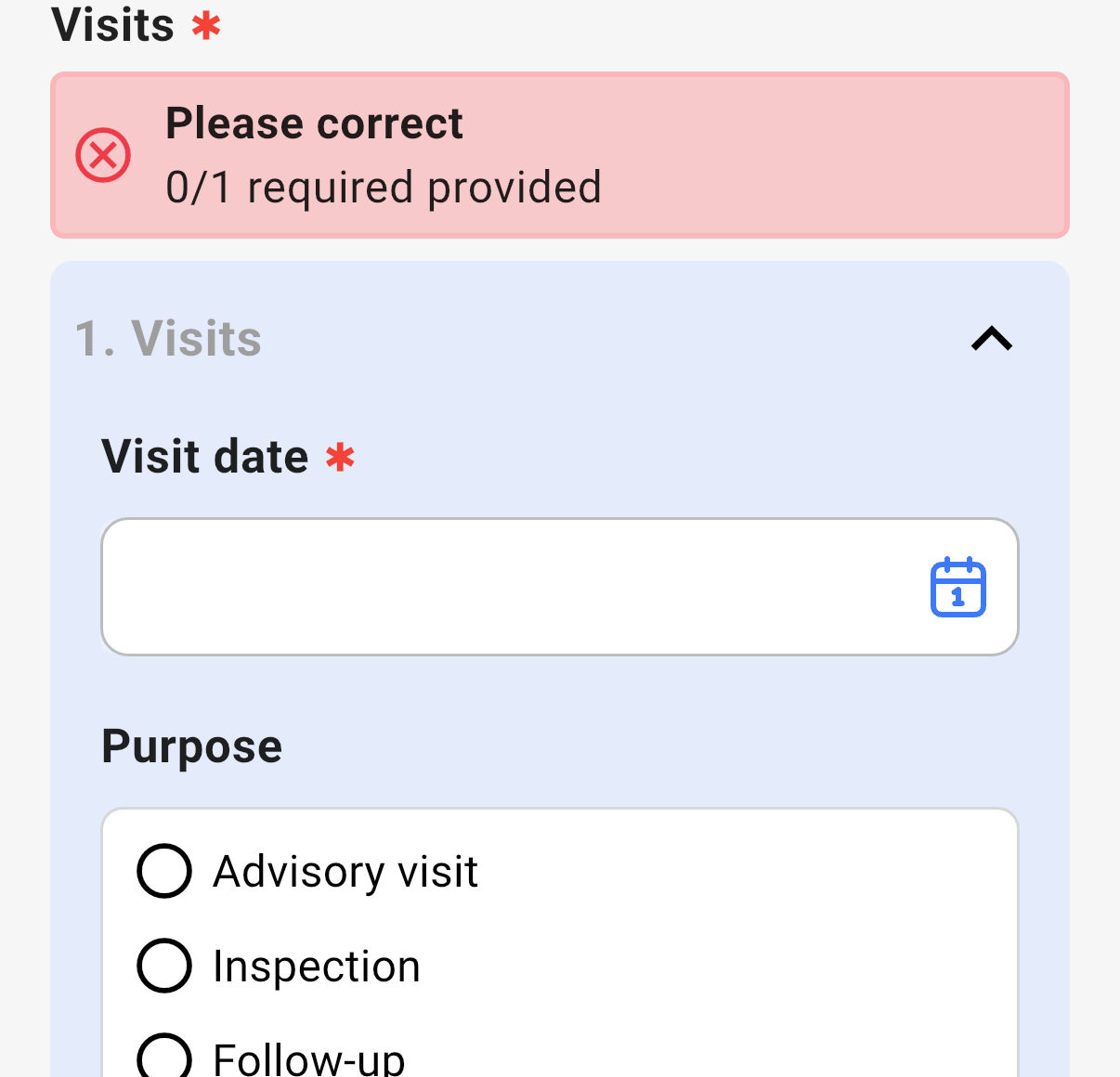
The Min and Max. Too few rows shows "At least 2 submission is required." and too many shows "No more than 5 submission are allowed.". In Multi-Select mode the same limits count the picks.
Combinations that matter
- A calculated field on the parent can total a column of the rows:
sum(members.income). See Auto Calculated. - A calculated field inside the rows runs for each row, and can read the parent with
parent.field_name. - A Matrix Field does the same job as a grid, for rows with a few columns. See Matrix Field.
- The parent keeps no reference to the rows. Query the linked table by its Relation back to the parent.
- Rows are created on approval. Until the submission is approved, the rows exist in the submission only.
How it looks
On the web, Multi-Insert mode is a card with the questions repeated per row, a copy button and a delete button on each row, and a dashed + to add a row. Multi-Select mode is one dropdown that holds several picks. In the 3D app, Multi-Insert mode shows Add Submission, and each row you add is a card with the row's questions inside it. Until the Min is met, a red box says how many rows are still required. Multi-Select mode is a search box with a checkbox per record.
Multi-Insert mode:
Multi-Select mode:
The Nested Form's settings, on the web, in Multi-Select mode:
The data
| Where | What you get |
|---|---|
| The parent record | Nothing. |
| The linked table | One record per row or per pick, with a Relation back to the parent. |
| A View | Join the linked table to the parent to read the rows with the parent's fields. |
| An export of the parent table | Nothing. Export the linked table. |
| The analytics warehouse | The linked table as a table of its own. |
Related types
- Matrix Field for a grid of rows with a few columns.
- Relation for one existing record.
- Multi-Select for several fixed options, not records.