Multi-Select
A list of options that you write into the question. The user picks one or more.
The options are fixed, as for Select One. When the options are records that your team adds and edits, use a Nested Form in Multi-Select mode instead.
Use it for
- Several answers from a closed list, such as the languages a person speaks.
- A checklist, such as the services a facility offers.
Example
A Training form asks Topics covered, with the options Nutrition, Hygiene, Savings and Marketing. The trainer picks every topic the session covered.
Settings
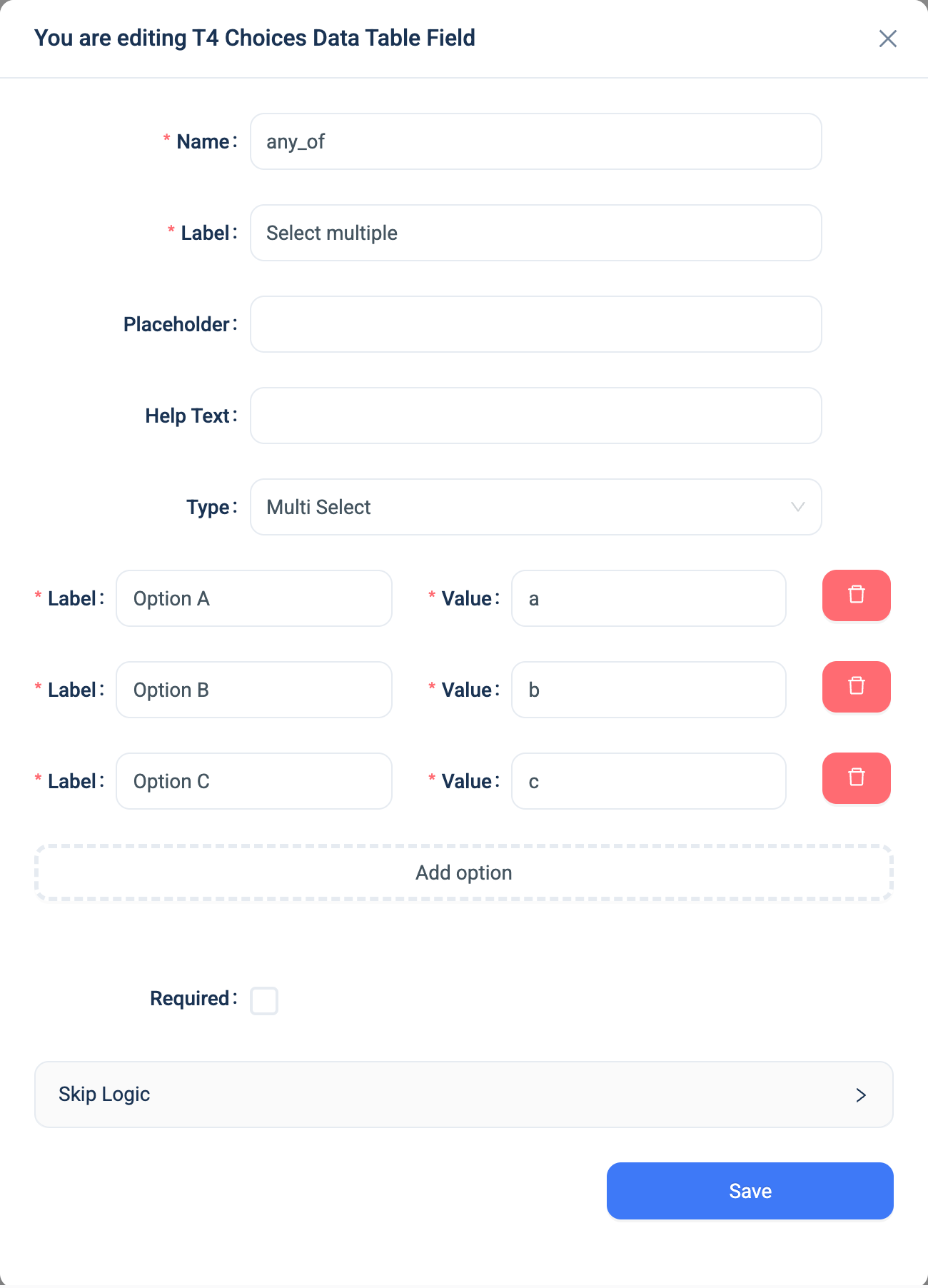
Every question has a Name, a Label, a Placeholder, Help Text, Required and Skip Logic. See Adding a question. Multi-Select adds the same option list as Select One.
| Setting | Description |
|---|---|
| Label | What the user sees. Required. |
| Value | What 3D stores. Required, and unique within the question. |
| Add option | Adds a row to the list. |
There is no minimum or maximum number of picks. On the web the list is sorted by label. In the 3D app the options appear in the order you entered them.
Validation
Required only. A Multi-Select with exactly one option and Required on is answered automatically on the web.
Combinations that matter
- Skip Logic on another question can test whether an option is among the picks with "equals". "Not equals" is rarely useful on a Multi-Select, because it compares the whole list to one value.
- A calculated field reads the list of values.
contains(topics, 'hygiene')tests for one of them. - Changing a value after data is collected breaks the records that hold the old value, as for Select One.
- Dashboards get one row per pick. The analytics warehouse unwinds the list, so a chart can count how often each option was picked.
How it looks
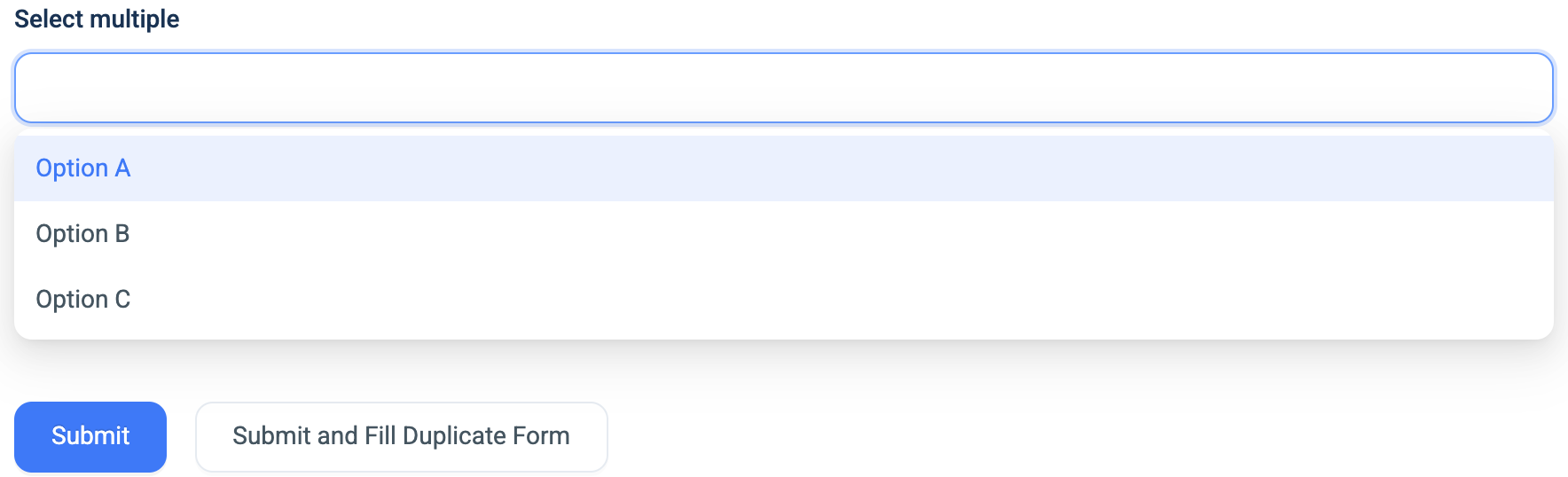
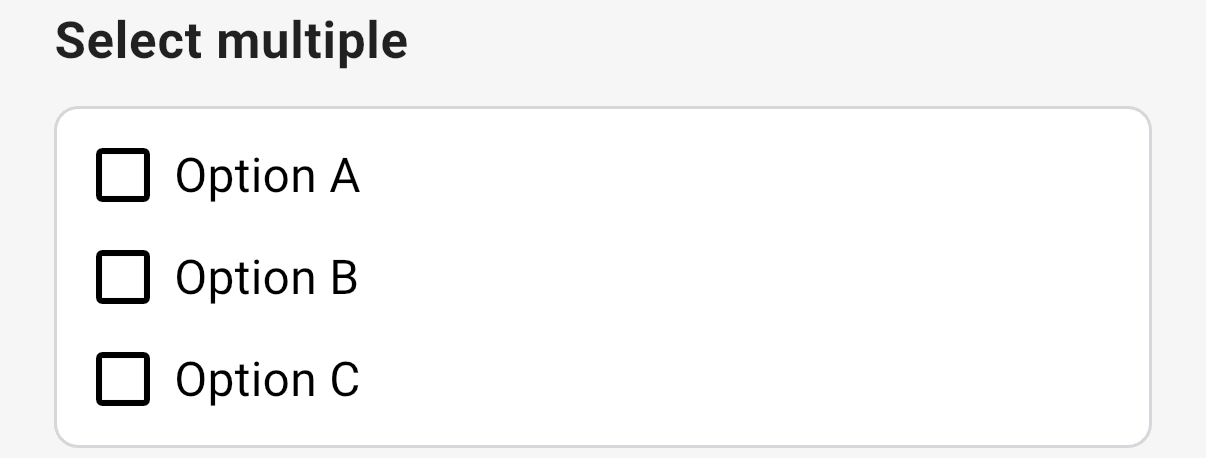
On the web the question is a dropdown, and each pick becomes a tag in the box. In the 3D app it is a list with a checkbox for each option.
The question's settings, on the web:
The data
| Where | What you get |
|---|---|
| The record | The list of values, and a Display companion with the labels separated by commas. |
| The data table and Views | The labels, separated by commas. |
| An export | Two columns: name (label) and name (value), each with the picks separated by commas. |
| A formula or Skip Logic | The list of values. |
| The analytics warehouse | One row per pick, so dashboards can count each option. |
Related types
- Select One when the user picks exactly one.
- Nested Form in Multi-Select mode to pick several records from a table.
- Toggle for one yes or no.