Cascading Select
One question with several levels. The user picks a value at each level, and each pick narrows the next.
A Cascading Select is built on a View that joins the tables of the levels. Country, Region and Town are three tables. Each Region record has a Relation to its Country, and each Town record has a Relation to its Region. The View joins the three. The question then offers the countries, the regions of the chosen country, and the towns of the chosen region.
This is the most common reason projects create a View.
Use it for
- A location, such as Country, Region and Town, or District, Ward and Village.
- An organisation, such as Partner, Office and Team.
- A category and the items in it, such as Crop and Variety.
Example
A Visit form asks for the location of the visit as one Location question with the levels Countries, Regions and Towns. The user picks Alpha, then North Alpha, then a town of North Alpha. The record stores all three.
Before you build it
- Create a table for each level, with a Relation field to the level above. Towns has a Relation to Regions, and Regions to Countries.
- Fill the tables. The question offers the records that exist.
- Set the display fields of each table. The levels show them. See Display fields.
- Create a View that joins the tables in order. See Creating a View.
Settings
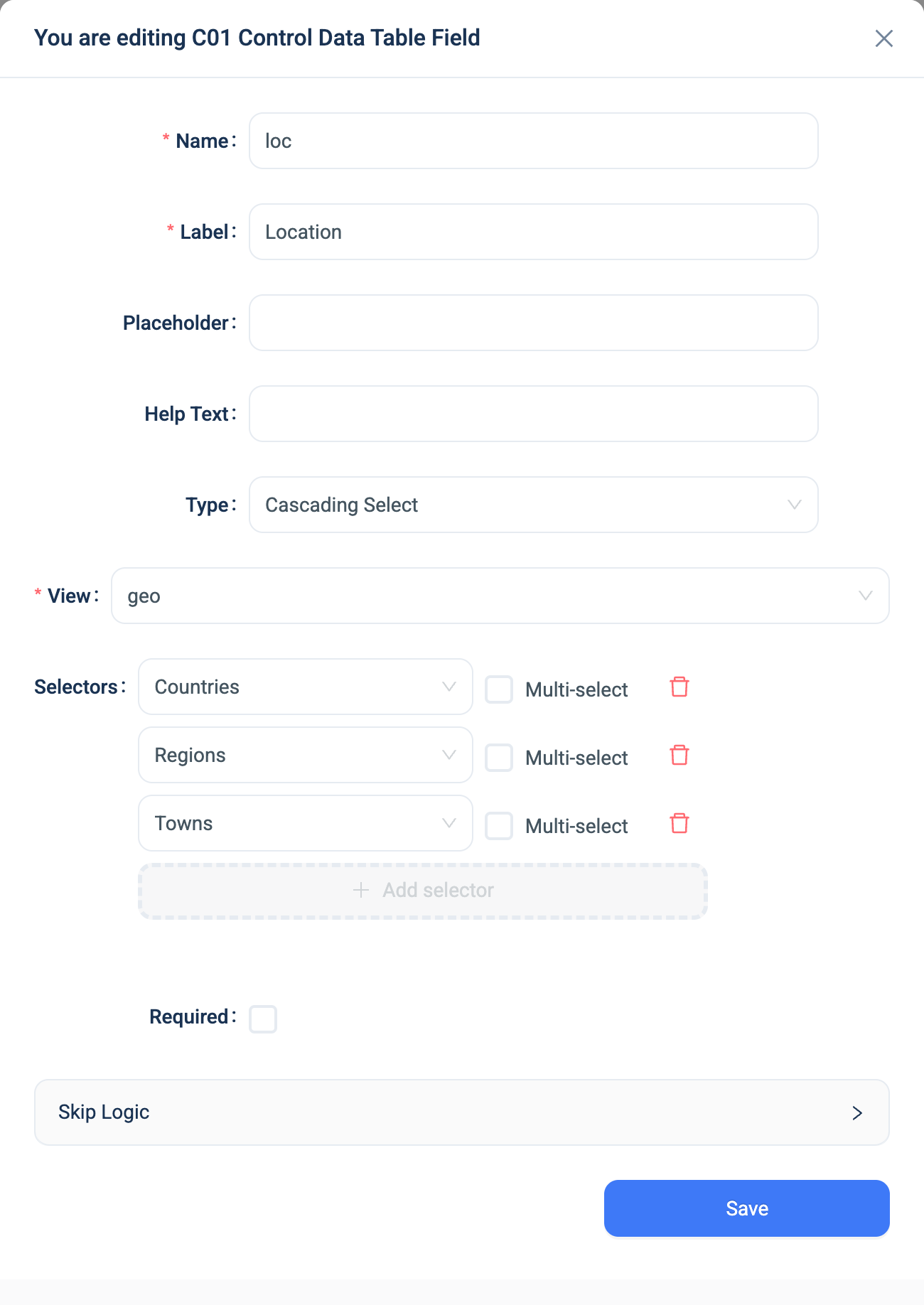
Every question has a Name, a Label, a Placeholder, Help Text, Required and Skip Logic. See Adding a question. Cascading Select adds these.
| Setting | Description |
|---|---|
| View | The View that joins the tables of the levels. Required. |
| Selectors | The levels, one row each, in order from the top level down. Add a row with Add selector. |
| Table | The table of the level. Each table in the View can be used once. |
| Multi-select | Lets the user pick several values at this level. Use it on the last level only. A level below a multi-select has no single parent to narrow by. |
The order of the selectors is the order of the levels. It does not have to match the order of the joins in the View. Each level's table must have a Relation field to the table of the level above it. If it does not, that level offers every record.
Changing the View resets the selectors to one empty row.
The label of each level is the title of its table. If the form has extra languages, translate the level labels on the form's Translations page.
Validation
Required applies to the last level only. The user must pick a value at every level to reach it.
Combinations that matter
- Inheritance Filters do the same narrowing across separate questions. Use a Cascading Select when you want the sequence in one question. Use Inheritance Filters when other questions sit between the levels, or when a Relation question elsewhere on the form must follow the pick.
- Filter by on the View narrows the options. A filter on the top table limits the top level. A filter on a lower table also removes the parents that have no matching rows, because Filter by removes whole rows from the View. See Configure Results.
- Snapshot on the View does not change the question. The levels read the tables.
- Skip Logic on another question can test the Cascading Select as answered or not answered.
How it looks
On the web the question is a card with one dropdown per level. A level is locked until the level above has a value. Each level shows Total count of records and a Filter button. Changing an upper level clears the levels below it.
In the 3D app each level is a list with a search box. A locked level shows Field is locked and names the level to answer first. Once a level is answered, the level below shows the pick above it in a blue bar, and lists only the matching records.
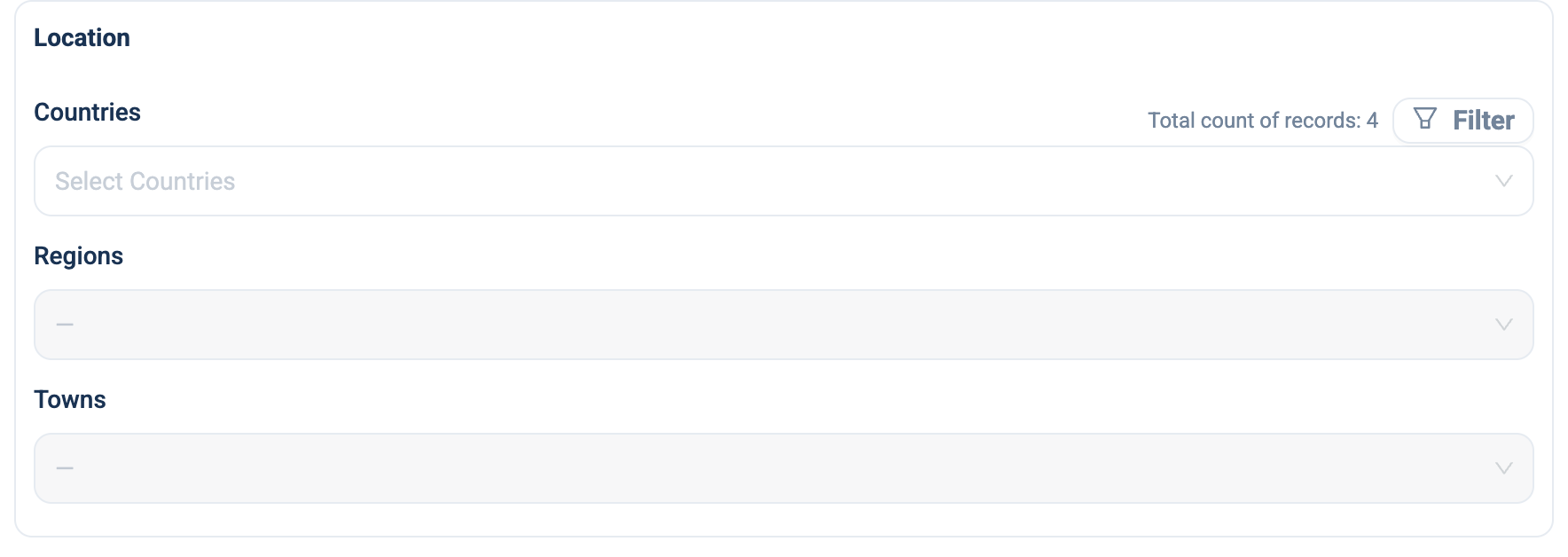
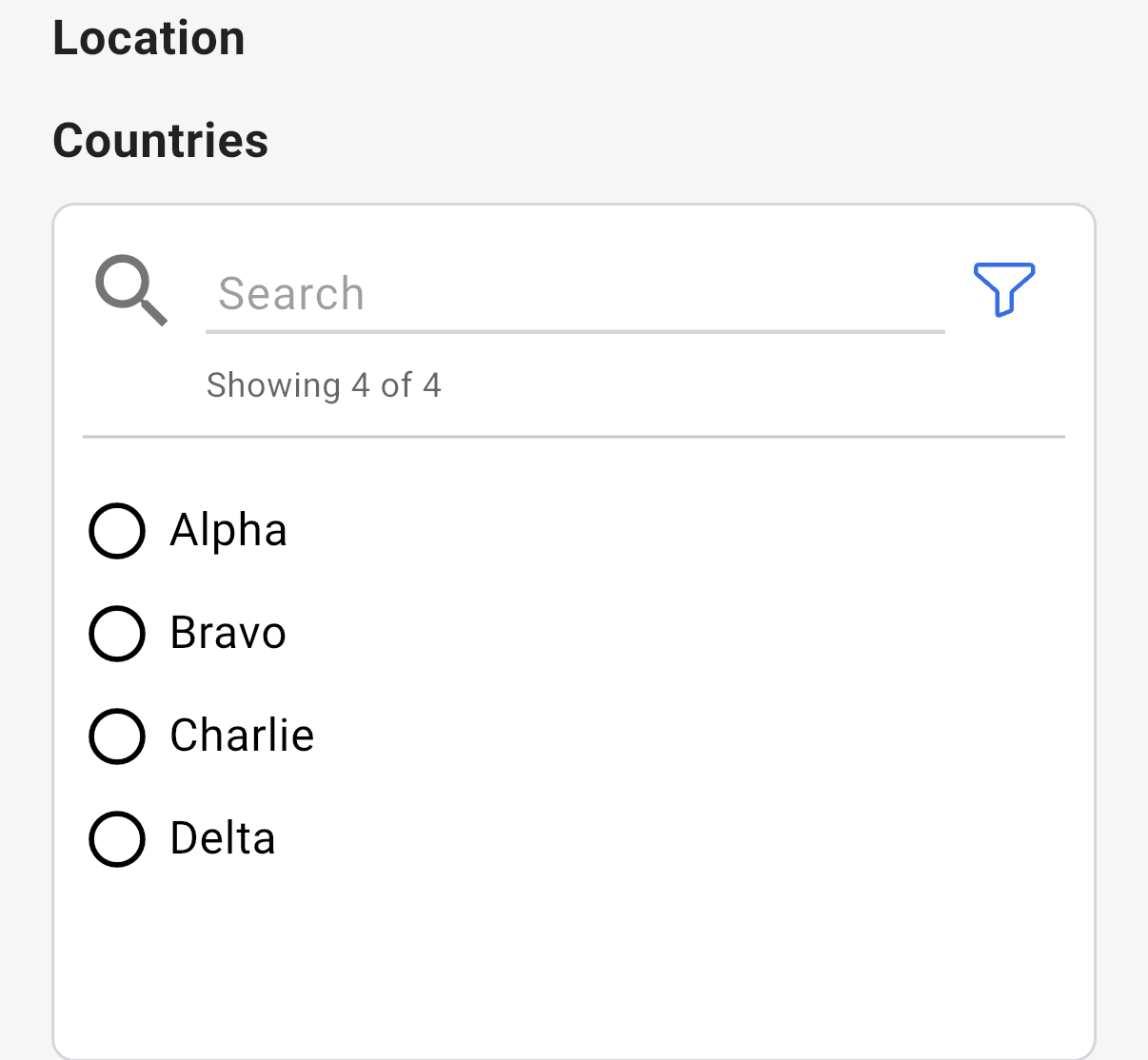
After the user picks Alpha at the first level, the second level lists the three regions of Alpha and the third level stays locked.
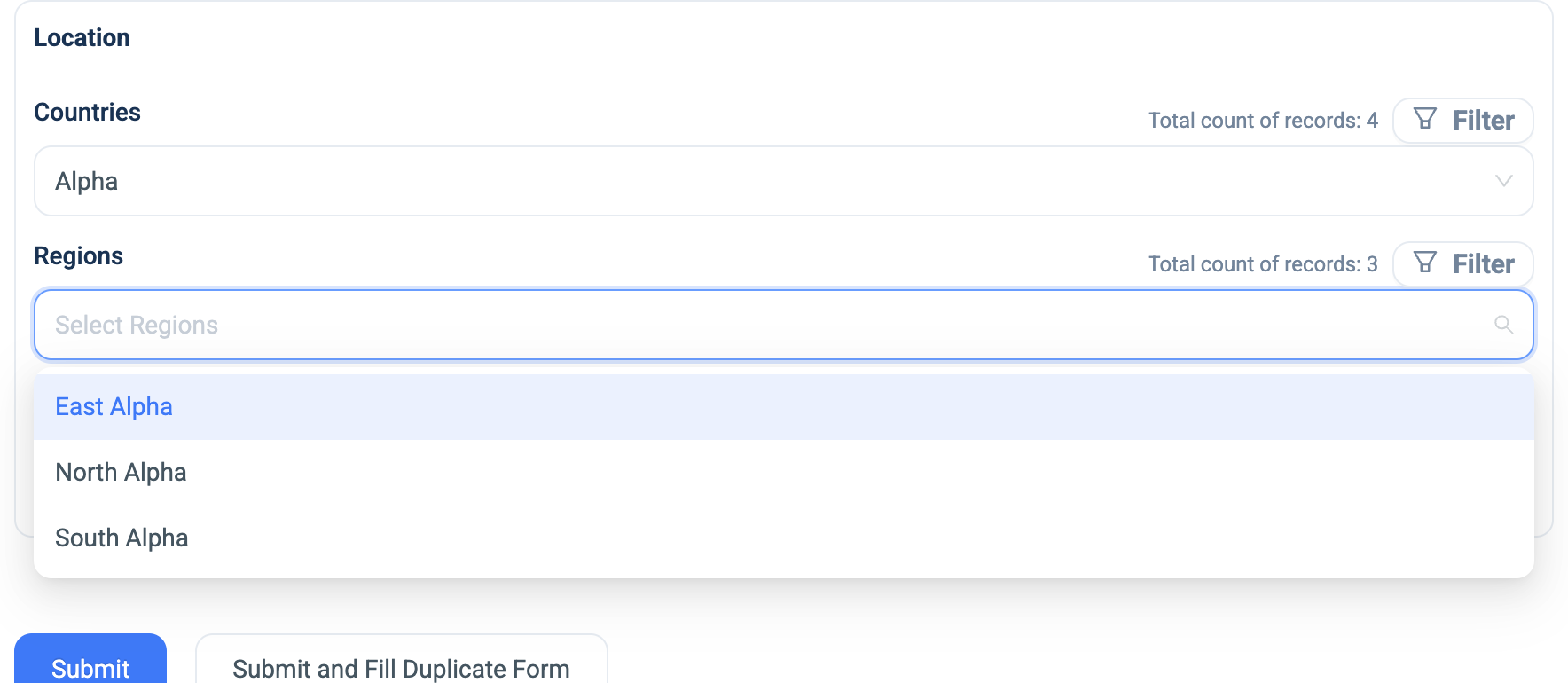
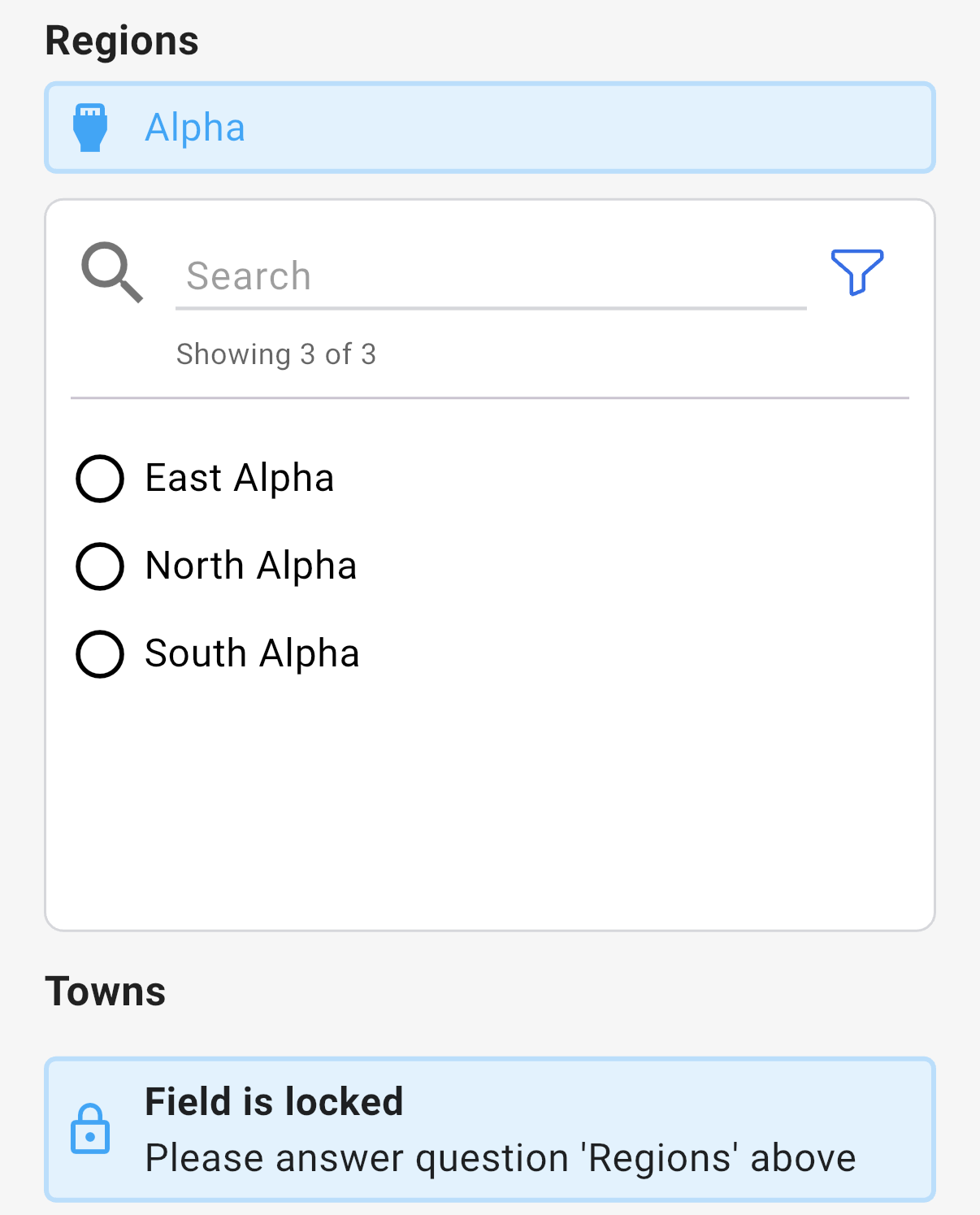
The question's settings, on the web:
The data
| Where | What you get |
|---|---|
| The record | The picked record at each level, and a Display companion per level named name - Table. |
| The data table | One column group with a column per level. |
| An export | One column per level, named name - Table. A multi-select level lists its picks separated by commas. |
When a record at one of the levels changes, the display text on the records that point at it updates within ten minutes. Renaming a level's table renames its column.
Related types
- Relation picks one record from one table. With default filters, it can also wait for a parent pick.
- Inheritance Filters narrow separate questions by each other's answers.
- Views explains the join that a Cascading Select needs.